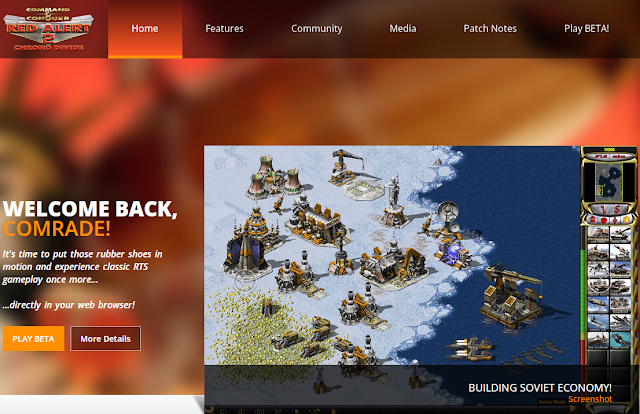
Are you ready to embark on a nostalgic journey back to the world of real-time strategy and iconic video games? Thanks to chronodivide.com, you can now enjoy the classic Command & Conquer: Red Alert 2 (RA2) right in your web browser. Whether you're reliving fond memories or experiencing this masterpiece for the first time, here's your guide to playing RA2 on your browser with chronodivide.com. Want the full game on your PC instead of a browser? Browser play is a quick nostalgia fix, but if you want to install Red Alert 2 / Yuri's Revenge and play multiplayer through CnCNet, see our 2026 step-by-step guide: วิธีเล่น Red Alert 2 ออนไลน์ในปี 2026 ผ่าน CnCNet . And if the game opens to a black screen on Windows 10 or 11, the fix is here: RA2 แก้ปัญหาจอดำ สำหรับ Windows 10 . A Blast from the Past: Command & Conquer - Red Alert 2 C ommand & Conquer: Red Alert 2, released in 2000 by Westwood Studios, is a beloved real-ti...
How to play Ragnarok M Eternal Love on PC BlueStacks App Player Your Favorite Mobile Apps + Games are now free on your PCJoin 200 million people around the world already getting fullscreen enjoyment from top apps and games like WhatsApp and Castle Clash. Our Best-in-Class “Layercake” technology enables even the most graphics-intensive games to run smoothly on your PC. BlueStacks App Player is the only Android Emulator supported with investment from Intel, Samsung, Qualcomm and AMD. Download : https://www.bluestacks.com/ MeMU MEmu App Player is a powerful Android emulator and aims to provide the best experience to play android games and apps on PC. Because of the leading performance and unique multiple-Android-kernels support, MEmu has more than 20 million users in over 200 countries and 20 languages, and it’s still growing rapidly. How to play Ragnarok M Eternal Love on PC with MeMU Down...


ความคิดเห็น
แสดงความคิดเห็น